A corporate AMA works when questions start coming in before the day, and the answers keep coming after the call ends. The live hour in between is the easy part.
This guide covers how to host an AMA session from start to finish, from planning and question collection to moderation and follow-up.
It's written for anyone who runs one: leaders, HR and internal comms teams, event hosts and customer teams.
The tricky part is getting people to speak up. That's where an online interaction platform can really help. Plenty of people won't raise their hands to ask a difficult question in front of leadership.
It gets much easier when they can type a question on their phone and upvote what others asked.
Below is the full playbook, including a 45-minute run sheet you can copy.
When a corporate AMA is the right format
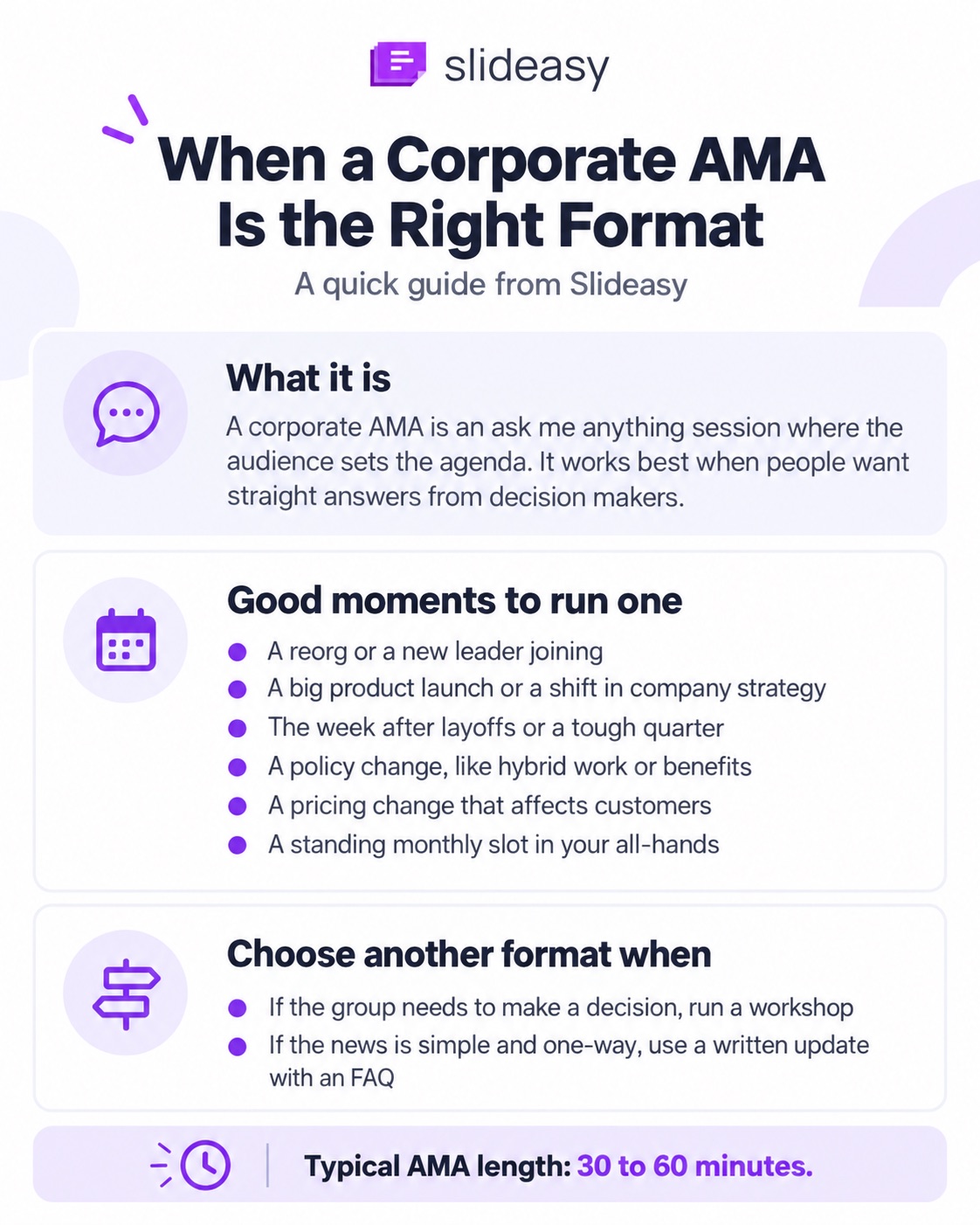
A corporate AMA, short for ask me anything session, hands the agenda to the audience. The host shows up to answer what people want to know, with no fixed deck to work through.
It fits best when people want straight answers from the people making decisions.
Good moments to run one
You can reach for an AMA in moments like these:
- A reorg or a new leader joining
- A big product launch or a shift in company strategy
- The week after layoffs or a tough quarter
- A policy change, like a new hybrid work rule or benefits plan
- A pricing change that affects customers
- A standing monthly slot in your all-hands
Say your company just announced a new hybrid work policy. Another long update email won't clear up much. An AMA lets people ask about the timeline, and about what changes for their own work.
When another format fits better
An AMA isn't always the right call. If the group needs to make a decision, run a workshop. If the news is simple and one-way, a written update with an FAQ will do the job.
Here's how an AMA stacks up against a town hall meeting or a fireside chat:
| Format | Best for | Who sets the agenda | Suggested length |
|---|---|---|---|
| AMA | Open questions on any topic | The audience | 30 to 60 minutes |
| Town hall | Company updates, then Q&A | Leaders first, then the audience | 45 to 90 minutes |
| Fireside chat | A guided talk with one guest | The host and the guest | 20 to 45 minutes |
| Webinar Q&A | Questions after a set talk | The speaker | 10 to 15 minutes at the end |
Pick the right type of AMA for your audience
The right setup depends on who's asking and what they need from you. These are the types most companies run.
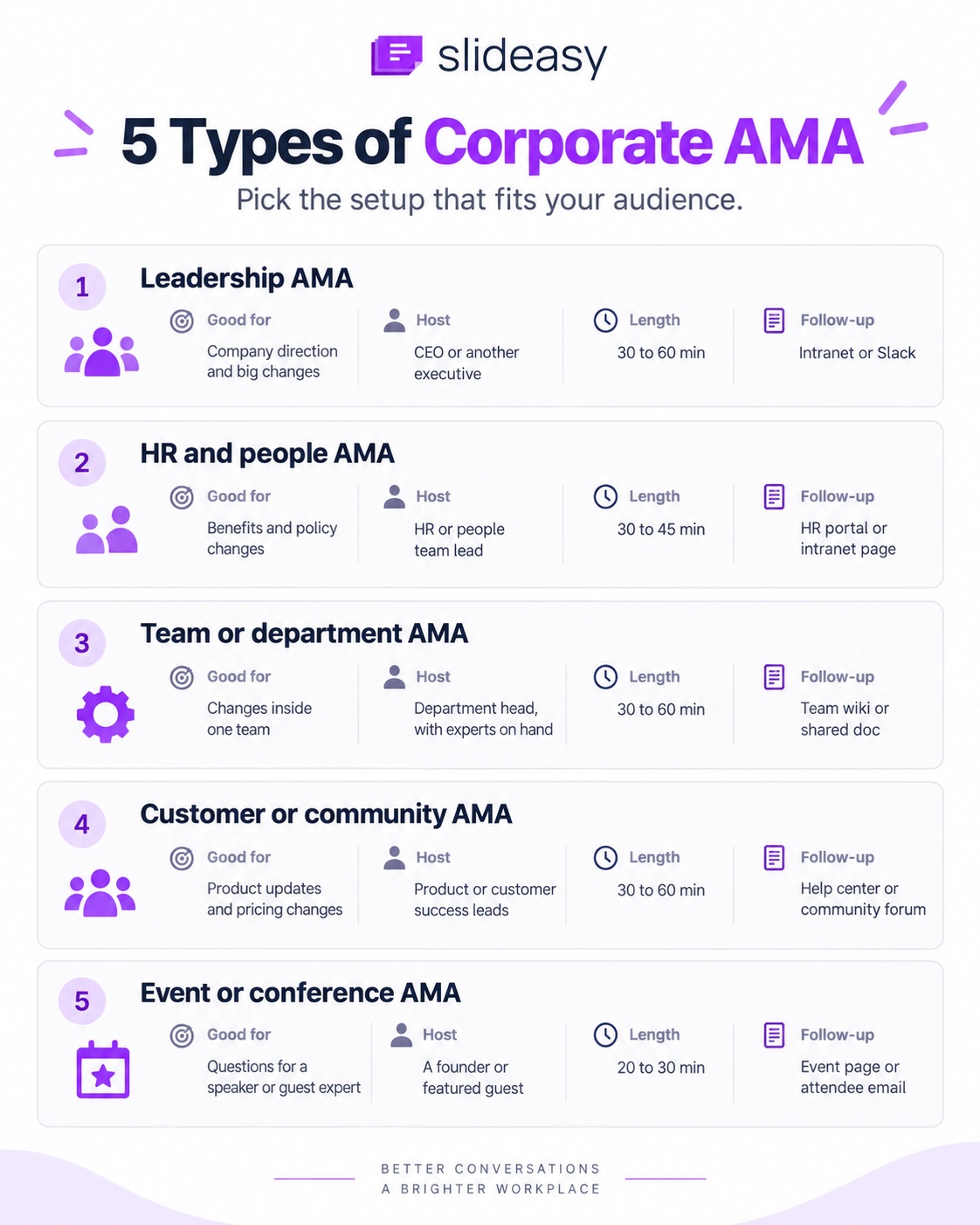
| AMA type | Good for | Host | Length | Follow-up lives in |
|---|---|---|---|---|
| Leadership AMA | Company direction and big changes | CEO or another executive | 30 to 60 min | Intranet or Slack |
| HR and people AMA | Benefits and policy changes | HR or people team lead | 30 to 45 min | HR portal or intranet page |
| Team or department AMA | Changes inside one team, like a new process | Department head, with experts on hand | 30 to 60 min | Team wiki or shared doc |
| Customer or community AMA | Product updates and pricing changes | Product or customer success leads | 30 to 60 min | Help center or community forum |
| Event or conference AMA | Questions for a speaker or guest expert | A founder or featured guest | 20 to 30 min | Event page or attendee email |
Leadership AMA at the all-hands
Employees often want more context than a standard update gives them. A CEO or another executive can take questions on strategy or any change that affects the company. Turn anonymous questions on, since people ask harder questions when their name isn't attached.
It also works well as a regular slot in your all-hands meeting.
Shopify shared its version in a 2016 Forbes piece by Harley Finkelstein. Staff post questions ahead of time, and everyone votes on them.
A live moderator reads the top ones to an executive who hasn't seen them. You don't have to go that far. Just make sure the hard questions still get asked.
HR and people AMA
HR teams can run an AMA when a policy changes, like a new benefits plan or a return-to-office rule. These topics feel personal, so people are slower to ask out loud. Anonymous questions matter even more here.
Internal comms can help by collecting questions early and publishing the answers afterward.
Team or department AMA
This fits after a big change inside one team, like a reorg or a move to new software. The department head usually hosts, with one or two experts on hand for detailed questions.
An engineering team, for example, might hold one after a platform migration, with senior engineers taking the technical questions.
Teams are often spread across offices and time zones, so borrow the setup from remote team meetings and collect questions early.
Customer or community AMA
Product and customer success teams can run this around a big product update or a pricing change.
A software company retiring an old version of its product, for example, should expect questions about dates and what might stop working.
It also fits into a product launch event as the live part after the announcement.
AMA at a conference or company event
An "ask the founder" or "ask the expert" slot works well at conferences and meetups. Keep it to 20 or 30 minutes, and put the QR code on screen before you start.
On bigger stages, a conference Q&A setup keeps audience questions organized.
Plan your AMA a week ahead
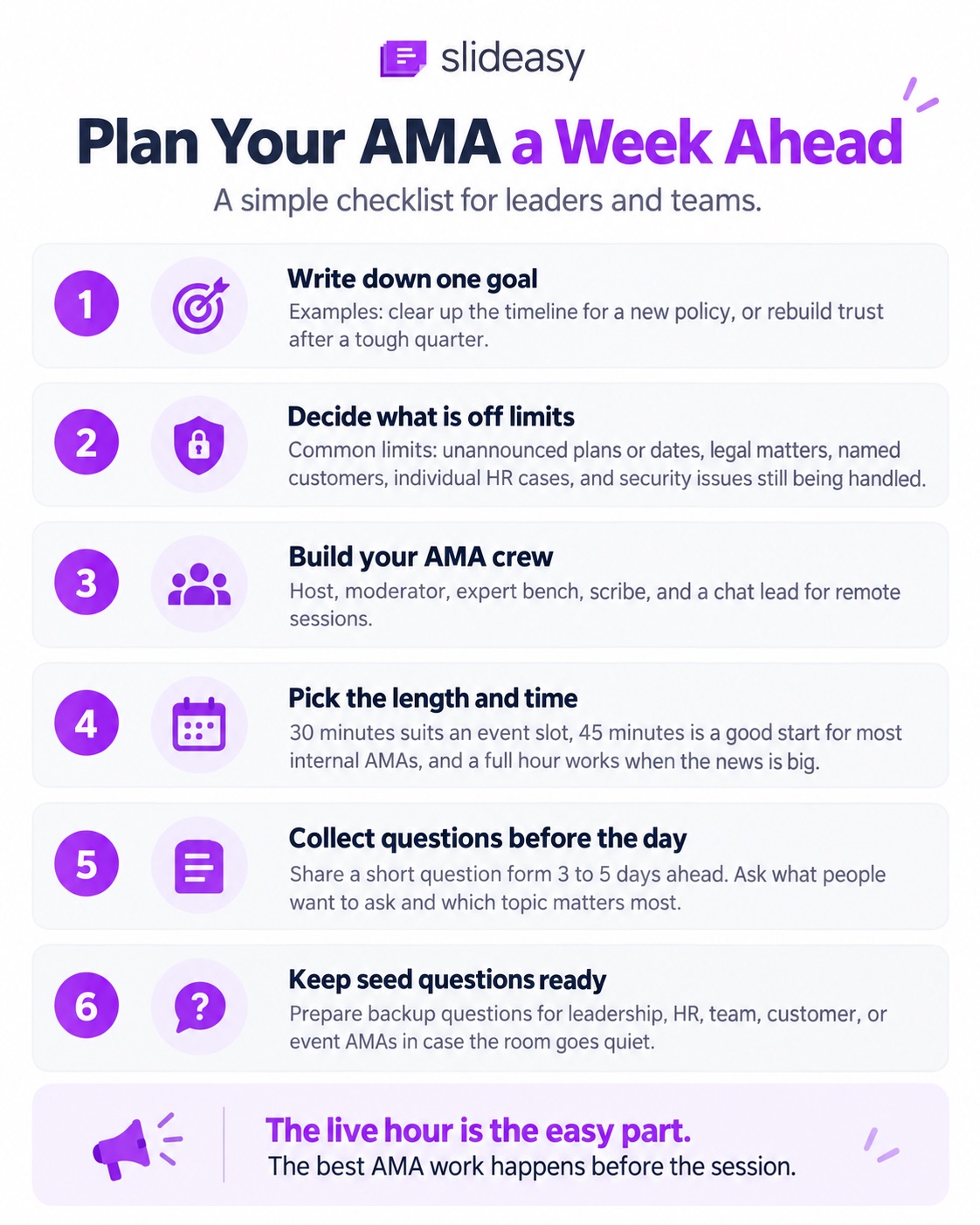
The AMAs that feel easy on the day had most of their work done the week before.
Write down one goal
Start with a single sentence, such as:
- "Clear up the timeline for the new hybrid work policy."
- "Rebuild trust after a tough quarter."
One goal helps the host decide which questions to answer live and which to handle later. A member of the Forbes Communications Council frames it as one question: what do you want to gain from this session?
Decide what is off limits, and say it upfront
Some topics can't be answered live. For most companies, the list looks something like this:
- Plans or dates that haven't been announced
- Legal matters and deals still in progress
- Named customers or clients
- Individual HR cases, including anyone's pay
- Security issues still being handled
Ask legal and HR to sign off on the list 48 hours before the session. Bring in your security team too if it applies. Then put the list on a static text slide and show it at the start.
Another council member suggests calling it an "Ask Me Almost Anything" session. The name sets the rule before anyone asks, and you can point back to the slide when a blocked topic comes up.
Build your AMA crew
You don't need a big team. It does help to split the jobs:
- Host: answers questions or hands them to the right person.
- Moderator: watches incoming questions and picks the order. Someone from internal comms often takes this role.
- Expert bench: one or two people who know the details, like a finance lead or a senior engineer.
- Scribe: logs every skipped question and who owns the follow-up.
- Chat lead (remote only): watches the call chat and reposts the join link.
On a small team, the host and moderator can cover all of it.
Pick the length and time
About 30 minutes suits an event slot, and 45 is a good start for most internal AMAs. Go to a full hour when the news is big.
For global teams, pick a slot that works for most regions, or run the session twice. Record it either way.
Collect questions before the day
Don't let the first live question be the first one anyone has thought about. Three to five days ahead, share a short question form in your team chat or company newsletter. Two questions are enough:
- What do you want to ask?
- Which topic matters most to you?
An online survey works well here, since you decide when responses open and close. The answers also tell you which experts to bring.
Keep seed questions ready
Even a good AMA hits a quiet patch. Give the moderator a short bank of AMA questions to fall back on:
- Leadership: "What's the biggest risk to this year's plan?" and "How are hiring decisions made?"
- HR and people: "How will the new benefits plan affect me?" and "How are promotions decided?"
- Team or department: "What changes for me day to day?" and "What would you fix first if you had a free quarter?"
- Customers: "When will the old version stop working?" and "How do you decide what gets built next?"
- Events: "What almost made you give up?" and "What advice would you give someone starting out?"
Write them the way your audience talks. If a seed question sounds like a press release, cut it.
What to look for in an AMA tool
A good live Q&A tool stays out of the way. If the host has to explain how it works, it's already costing you time. Here's the checklist for this:
| Need | Why it matters | Priority |
|---|---|---|
| Join by link or QR code, no app | Nobody installs anything mid-meeting | Must-have |
| Anonymous questions | People ask what they really think | Must-have |
| Upvoting | The room decides what gets answered first | Must-have |
| A participant limit that fits your crowd | A cap can lock people out of a company-wide AMA | Must-have |
| Works for remote attendees | People outside the room need the same voice | Must-have |
| Time limit on submissions | Keeps the session on schedule | Nice to have |
| Moderation queue | Lets you screen questions before they show | Nice to have. Must-have for large public AMAs |
| Slide tool or video call integration | Lets you present inside PowerPoint or a video call | Nice to have |
Here's an honest take on the tradeoffs. Slido and Mentimeter both offer a moderation queue, and Mentimeter keeps it on paid plans. Both also have integrations for PowerPoint and the major video call apps. If you need to screen every question or present inside PowerPoint, those tools are a good fit.
But if you're looking for something much simpler to operate, without paying much for extra features you won't use, but with all the must-have features required for an AMA tool. Slideasy is a great browser-based interactive presentation tool that runs in its own tab. People join with a link or QR code, with no app or account needed. There's no participant limit on any plan, which matters when you don't know how many people will show up.
A Q&A slide covers the must-haves above, including anonymous questions and upvotes. You can also set how long submissions stay open. For video calls, you share the Slideasy tab, since it doesn't plug into Zoom or Teams.
For a deep dive into the Slido and Mentimeter comparison with Slideasy, head over to these pages.
Build your AMA deck with interactive slides
Good live audience engagement comes from a few well-placed questions. Match each moment of the AMA to one simple slide.
New to this? Here's what changes between interactive vs traditional presentations.
| Moment | Slide type | Example prompt |
|---|---|---|
| Doors open | Word Cloud | "In one word, how do you feel about the new hybrid policy?" |
| Warm-up | Live Poll | "Which team are you on? Sales / Operations / Product / Other" |
| Main block | Q&A | Anonymous on. "Ask anything about the year ahead." |
| Topic steer | Multiple Choice | "What should we cover first? Hiring / Budget / Office plans / Benefits" |
| Visual choice | Image Polls | "Which office layout should we talk through?" |
| Check-in | Sliders & Scales | "How clear is the new policy timeline? 1 to 10" |
| Close | Online Surveys | "What did we miss? What should the next AMA cover?" |
Open with a Word Cloud or a Live Poll
Get every device connected before the first real question. Skip the vacation icebreaker and ask about the topic itself. A live word cloud can surface the room's biggest worry in seconds. A live poll on teams or roles shows the host who's in the room, so answers can fit the audience.
Run the main block on Q&A
Most of the AMA happens here. Use an anonymous live Q&A slide and set a submission window, so questions close at a set time. Remind people to upvote, more than once.
Steer topics with Multiple Choice and Image Polls
When questions scatter across too many areas, let the room pick. A multiple choice poll can ask where people want to go deeper, from hiring and budgets to office plans and benefits.
An image poll helps when the topic is visual, like two office floor plans or two product designs.
Check understanding with a slider
After a complex answer, ask how clear it was. A slider scale question like "How clear is the new benefits process? 1 to 10" takes a few seconds. A low score means you should explain it again, or cover it in writing afterward.
Close with a short survey
Two questions are plenty: what did we miss, and what should the next AMA cover? It works like a mini post-event survey, taken while people are still in the room.
Running an AMA on the free plan
Slideasy's free plan includes 3 interactive slides with unlimited participants. That's enough for a lean AMA. Put Q&A at the center.
Use a Word Cloud as the opener, and save the last slot for a slider. The full deck above uses more than three interactive slides, so it needs Premium at $9.99 a month.
Want more prompts? These live polling ideas are grouped by session type, from workplace meetings and classrooms to webinars and conferences.
Run the session with a 45-minute run sheet
Copy this run sheet and adjust the times to fit your session.
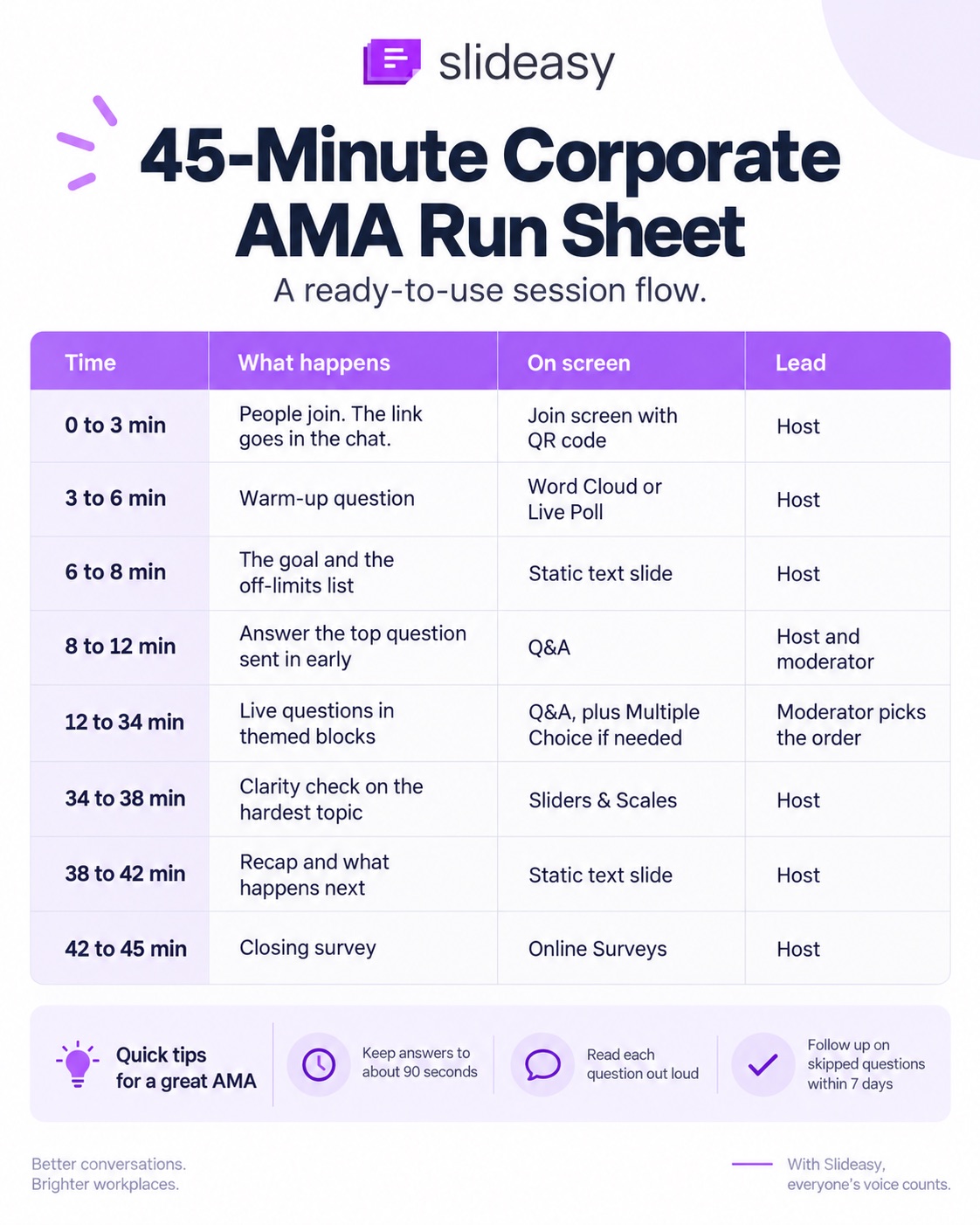
| Time | What happens | On screen | Who leads |
|---|---|---|---|
| 0 to 3 min | People join. The link goes in the chat. | Join screen with QR code | Host |
| 3 to 6 min | Warm-up question | Word Cloud or Live Poll | Host |
| 6 to 8 min | The goal and the off-limits list | Static text slide | Host |
| 8 to 12 min | Answer the top question sent in early | Q&A | Host and moderator |
| 12 to 34 min | Live questions in themed blocks | Q&A, plus Multiple Choice if needed | Moderator picks the order |
| 34 to 38 min | Clarity check on the hardest topic | Sliders & Scales | Host |
| 38 to 42 min | Recap and what happens next | Static text slide | Host |
| 42 to 45 min | Closing survey | Online Surveys | Host |
Beat the quiet first five minutes
Open with a question someone sent in early, and remind people that anonymous mode is on. If the room is still quiet, the moderator reads a seed question.
A slow start is normal. People often wait to see one question answered before they send their own.
Answer in themed blocks
Take the top-voted question, then pull in related ones so the answers flow. A question with fewer votes can still jump ahead if it's urgent or tied closely to your goal.
Keep answers short
Aim for about 90 seconds per answer. When an answer needs more time, hand it to the expert bench or promise a written reply with a date.
Make remote and hybrid AMAs work
Drop the join link in the Zoom or Teams chat and share the Slideasy tab on screen. Read each question out loud, so the recording makes sense later.
Give remote questions the same weight as the ones from the room, or the room will take over fast. The same slides help with webinar engagement when everyone is online.
Moderate AMA questions without losing trust
Good moderation keeps the discussion clear without making hard questions vanish.
Share ground rules before you start
Keep them short:
- One question per submission
- No coworker names
- No passwords or private customer details in questions
- Be specific, so the answer can be specific
The rule about private details matters more than it sounds. People paste things without thinking.
Merge duplicate questions into one
When several people ask nearly the same thing, answer them together. Say it out loud: "Six of you asked some version of this, so let's take it once for everyone." People can see they were heard, and nobody has to ask again.
Soften the wording, keep the point
When a question is blunt, calm the tone as you read it out. Keep the actual concern exactly as asked, even when the answer is uncomfortable.
Sort every question into four buckets
This makes live decisions much easier:
- Answer live: it fits the goal and has a short answer.
- Answer in writing: it needs more detail or another person's input.
- Can't share yet: it's on the off-limits list, so say why and when you expect to say more.
- Send elsewhere: it belongs with HR or the support team, so point people to the right place.
Know what to hold back
Personal attacks and HR cases about named people stay off the screen. So do the legal matters and security issues still being handled. You can usually still answer the concern behind the question in general terms.
Watch for private details too. Someone might paste a password or a customer's account details into a question.
Don't read it out, and move to the next question quickly. Then tell the right team so they can fix it, like resetting an exposed password.
Use honest scripts for tough questions
Honest answers hold up better than vague ones. Keep a few lines ready:
- "I don't know yet. I'll post an answer in #ama-follow-ups by Friday."
- "We can't share dates yet. Here's what we can share today."
- "That's fair. Here's what went wrong and what we changed."
- "Priya owns that one. She'll answer in writing this week."
Follow up within a week
The AMA doesn't end when the call does. AMA follow-up is where people find out if you meant what you said.
Answer every question you skipped
Give each unanswered question an owner and publish the answers within seven days.
For internal AMAs, that could be the company intranet or a Slack channel. For customer or community AMAs, use your help center or a community forum post. Tell people where to look before the session ends.
Turn repeat questions into FAQs and next steps
If the same question keeps coming up across AMAs, treat it as a signal. It often points to missing information, so add the answer to your intranet or FAQ page. If it points to a bigger problem, pass the pattern to the team that can fix it.
This is one of the best reasons to run AMAs on a schedule. For HR and internal comms, the questions show what people are really worried about.
For customer teams, they show where users get stuck. For more on building this habit inside your company, see how to collect employee feedback in meetings.
Track a simple AMA scorecard
You don't need an analytics system. A few numbers each time will do:
| Metric | Where it comes from |
|---|---|
| Questions asked and total upvotes, compared with attendance | The Q&A slide and your attendee count |
| Questions answered live vs in writing | The scribe's log |
| Days until written answers went out | The scribe's log |
| Average clarity score | The slider result |
| What people felt was missing, plus next-topic requests | The closing survey |
Compare each AMA with your last one.
About a month later, run a quick employee pulse check to see if the issues people raised have moved.
Common AMA mistakes to avoid
| Mistake | Fix |
|---|---|
| Turning the AMA into a sales pitch or product demo | Limit slides to the join screen and the interactive slides |
| Promising dates on stage | Share direction live and confirm dates in writing |
| Letting one loud voice take over | Use upvotes to set the order |
| Leaving anonymous mode off | Turn it on whenever leaders are taking questions |
| Picking a time that shuts out half the team | Collect questions early and record the session |
| Never posting the follow-up | Give the scribe a deadline and an owner |
The biggest mistake is treating an AMA like a regular presentation. People came to reach the decision makers, so leave room for the conversation to go somewhere new.
Frequently asked questions
How long should a corporate AMA last?
Plan for 30 to 60 minutes. For most internal AMAs, 45 minutes is a good starting point. Save the last few minutes for a quick recap and a short closing survey.
How do you collect questions before an AMA?
Share a short question form three to five days ahead in your team chat or company newsletter. Ask what people want to know, and add a topic vote to see what matters most.
Should AMA questions be anonymous?
For most internal AMAs, yes. People ask harder questions when their name isn't attached. Set ground rules at the start so anonymous questions stay focused on the work.
How do you moderate an AMA without censoring it?
Share the rules up front. Then merge duplicates and calm harsh wording while keeping the point. Hold back only personal attacks and confidential details, and still answer the hard questions.
What should a host say when they don't know the answer?
Say so. Something like: "I don't know yet. I'll get you an answer by Friday." Name the person who owns the follow-up, then post the answer where attendees will find it.
What is the difference between an AMA and a town hall?
A town hall usually opens with company updates, then moves to Q&A. An AMA gives most of the time to audience questions, so attendees set the agenda.
How often should leaders run an AMA?
A monthly slot in the all-hands works well for most companies. Add a one-off AMA after big changes, like a reorg or a major policy update.
What are good AMA questions for leadership?
Questions about where the company is heading and how big decisions get made tend to land well. Keep a few seed questions ready in case the room needs time to warm up.
Can you run an AMA on Zoom or Microsoft Teams with Slideasy?
Yes. Share the Slideasy browser tab on the call and put the join link in the chat. Slideasy runs next to your video call. It doesn't plug into Zoom or Teams directly.
How many people can join a Slideasy AMA?
As many as show up. Slideasy has no participant limit on any plan, including the free one.
Do attendees need an app or an account?
No. Attendees join from any browser on their phone or laptop, using a link or QR code.
Can I host an AMA on Slideasy for free?
Yes. The free plan includes 3 interactive slides and unlimited participants. That covers a lean AMA built around a Q&A slide.
Run your first AMA this month
You don't need a big production to run a good AMA. Start with one clear goal and a handful of early questions. The real test comes after the call, when every skipped question needs an owner.
Create a free Q&A slide and let your attendees join from any browser. No credit card required.