Build Interactive Presentations That Connect Everyone
Keep everyone engaged during meetings, training sessions & classrooms with a Live Poll to get honest input.
How does slideasy work?
Capture your audience's
attention in 3 easy steps!
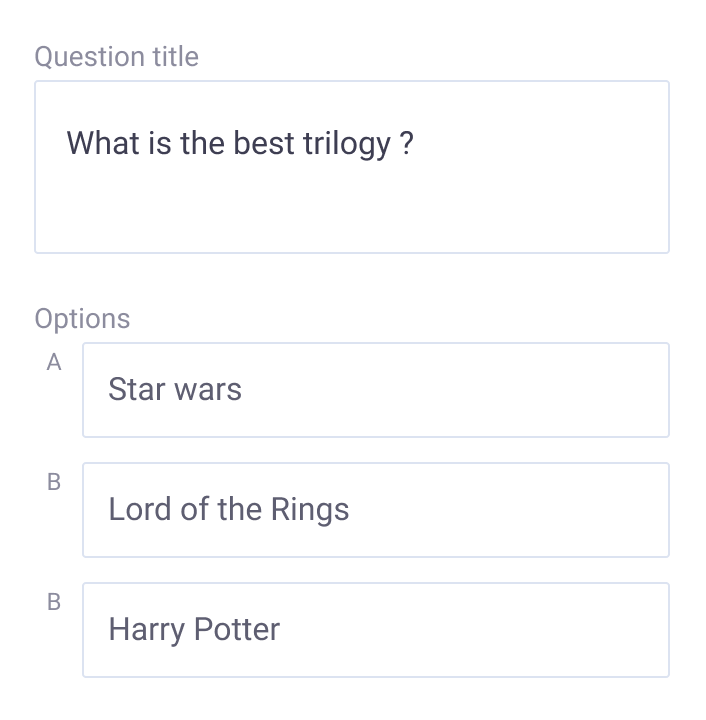
Ask a question
Asking questions can bring a huge impact on your presentation. By asking questions you can understand your audience better.
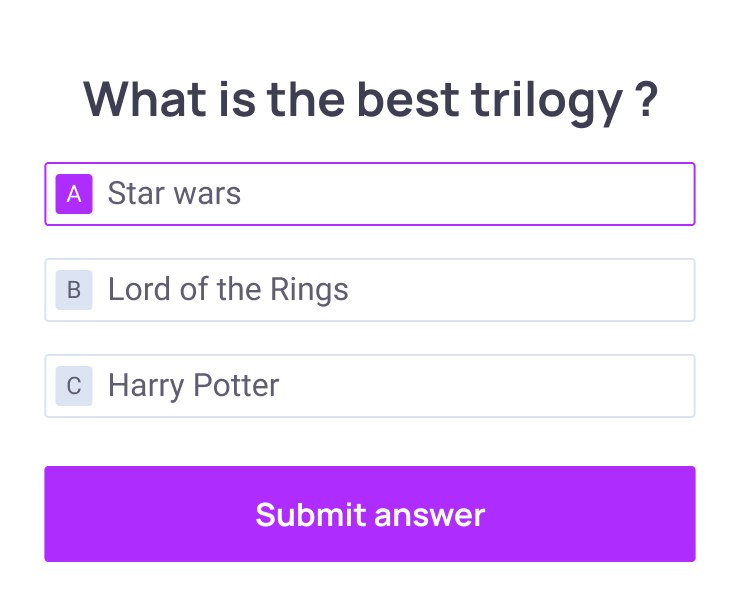
The audience responds
Get instant feedback. Discover new ideas and perspectives from your audience.
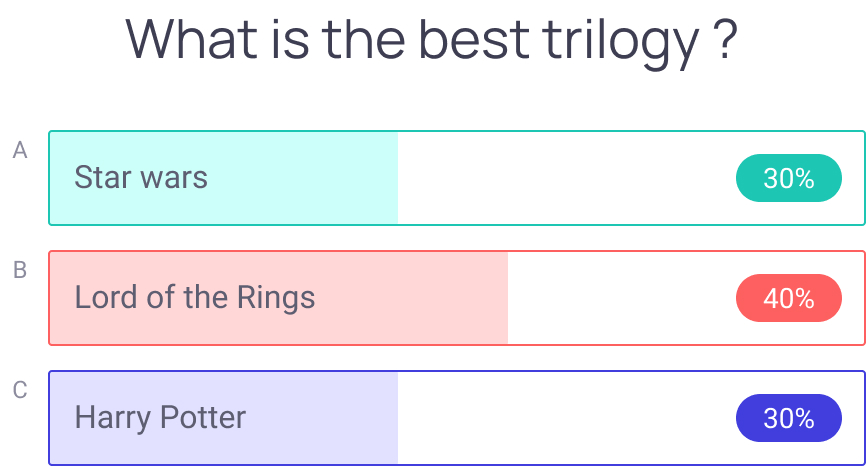
Results updated live on screen
As the audience submit their response, the results are instantly displayed on the screen.
Multiple Ways to Create Interactive Presentations
Different goals need different engagement tools. Slideasy has them all to capture input, keep your audience engaged, and get instant feedback.
How do we handle objections from procurement on the new pricing?
Will the Q3 roadmap include the export-to-PDF feature?
What's the plan for the team in Berlin after the reorg?
Can you share the slides after the session?
See what your audience actually thinks without filtering. Open responses surface patterns you'd miss in a poll. Unfiltered feedback reveals what really matters.
View featureYour audience has questions they won't ask out loud. Let them submit anonymously, upvote what matters, and you answer live. No concern gets lost.
View featureQuick decisions, clear answers. Present options and let your audience choose in real-time. See which direction people lean before you decide.
View featureSometimes words aren't enough. Show options visually and let people respond to images, concepts, or designs. Visual feedback beats text-only every time.
View featureMeasure intensity, agreement, or preference on a spectrum. Get nuanced feedback beyond yes/no. Understand how much people agree, not just if they do.
View featureGo deeper after the session ends. Collect detailed feedback, run post-event surveys, or gather anonymous input when people have time to think. Turn one-off interactions into lasting insights.
View featureBuilt for Everyone
Anyone who presents to an audience and actually wants to know if it worked.
Educators & Trainers
Turn passive learning into active engagement. Use interactive presentations to check understanding in real-time, keep students focused, and gather honest feedback on what stuck and what didn't.
Corporate & Business Leaders
Make meetings count. Run better icebreakers, collect team feedback, test alignment, and make faster decisions. Get honest input you can't get in a room full of people.
Event Organizers & Speakers
Keep hundreds or thousands engaged from start to finish. Build real connection with large audiences. Run Q&A sessions, polls, and quizzes that make events memorable and interactive.
See why presenters and
educators love Slideasy.
From classrooms to boardrooms to stages, see how different presenters transformed their work with Slideasy.
I've used this before during large presentations/events and it's a great way to get the audience to interact, and for you as a presenter to understand what they're thinking.
I actually used the slideasy app the same week you all launched it for a retrospective. It made it a little more interactive and a little more fun to get answers out of the teams. Great job.
Slideasy makes it easy to engage and receive feedback from your participants.
Let us help you power your presentations
Create your account today for better engagement during online meetings, classes, and events.
Get started for free
Bring interactivity to your presentations
and give everyone a voice.
Free
Get started without a credit card
- 3 Interactive slides
- Unlimited presentations
- Unlimited participants
Premium
Everything you need to engage at scale
- Unlimited interactive slides
- Unlimited presentations
- Unlimited participants
Questions About Slideasy?
Find Answers Here.
Slideasy is an interactive presentation platform that helps you engage audiences with live polls, quizzes, Q&A sessions, word clouds, and real-time feedback tools.
Slideasy is built to provide a secure and reliable experience, helping teams, educators, and businesses present and interact with confidence.
You can create live polls, quizzes, word clouds, Q&A sessions, image polls, surveys, multiple choice questions and interactive audience activities.
Yes, Slideasy offers a free plan that lets you create interactive presentations, polls, quizzes, and audience engagement activities with ease.
An unlimited number of participants can join and interact with your Slideasy presentations in real time.
No, participants can join instantly from any browser on their phone, tablet, or computer through link or QR code — no downloads or sign-ups required.